Approve Actions
To approve created actions, follow the below steps:
-
Go to Configure > Tools > Automations and Collection Extensions > Action Governance > Pending Approval
-
Make sure you enabled editing by clicking the lock icon in the top-right part of the screen.
-
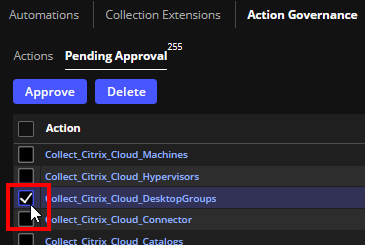
Select the desired actions using the checkboxes to the left of the action names.
-
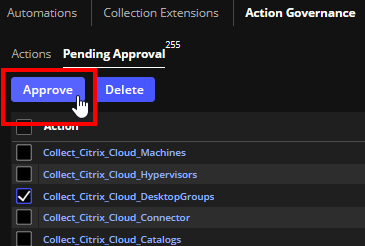
Click the Approve button.
-
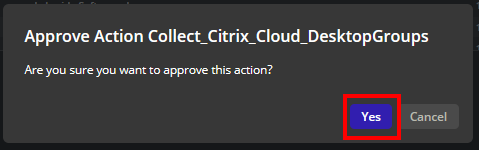
Confirm that you want to approve the action.
On This Page